
Some films leave such an indelible mark that they eventually find their way into your art. For me, The Godfather is one of those films — not just because of its story and cinematography, but for its atmosphere, lighting, and character-driven composition. This project became a tribute to all of that — not a commercial piece, but a study in composition, technique, and the harmony between craftsmanship and artificial intelligence.
Choosing the Scene
I began by studying stills from the movie to find an iconic yet creatively flexible scene. The moment where Don Corleone — portrayed by Marlon Brando — listens quietly to a request became my foundation. The posture, the tension between the figures, and that warm, cinematic lighting made it the perfect setup for a reinterpretation in my own style.
3D Construction in Daz3D
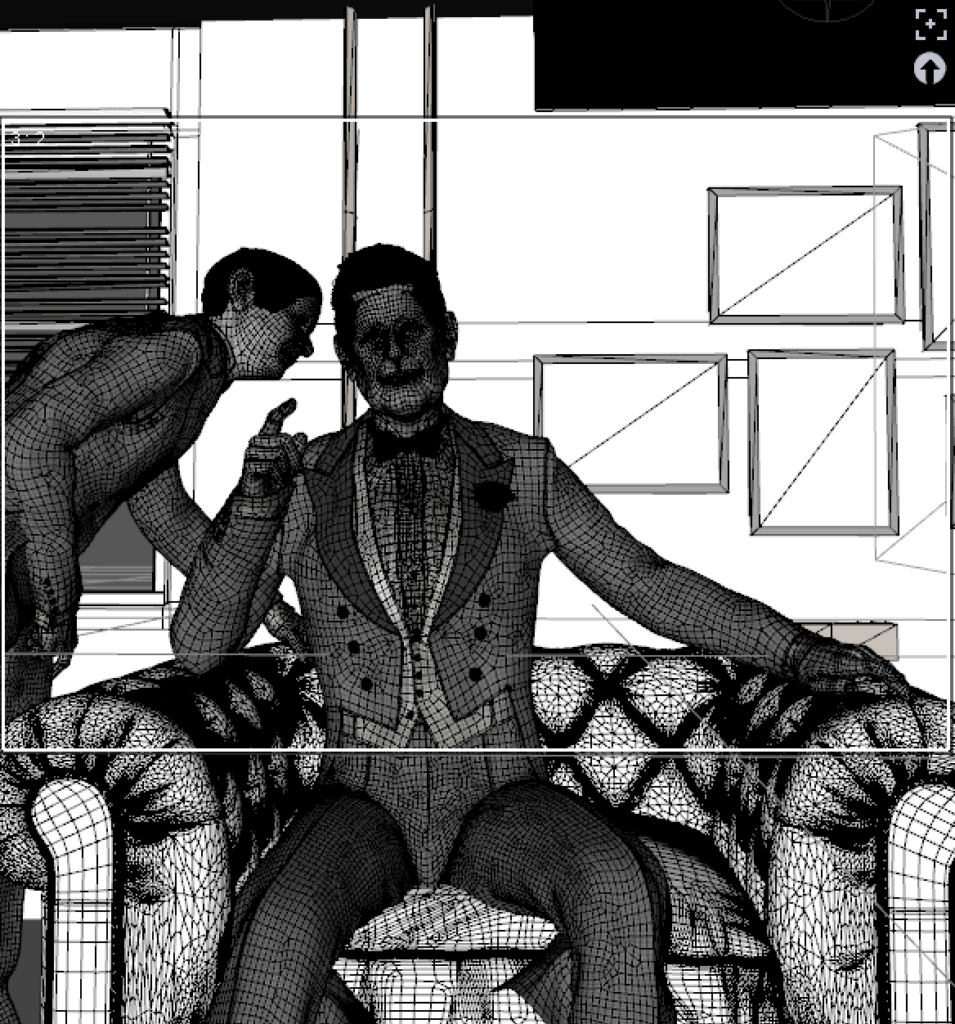
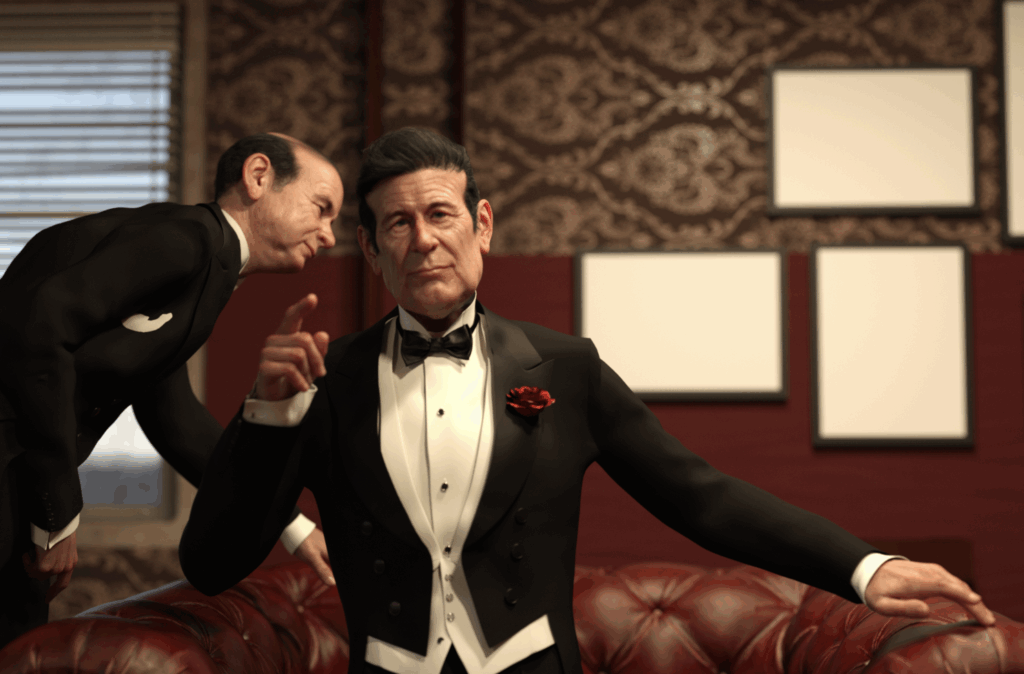
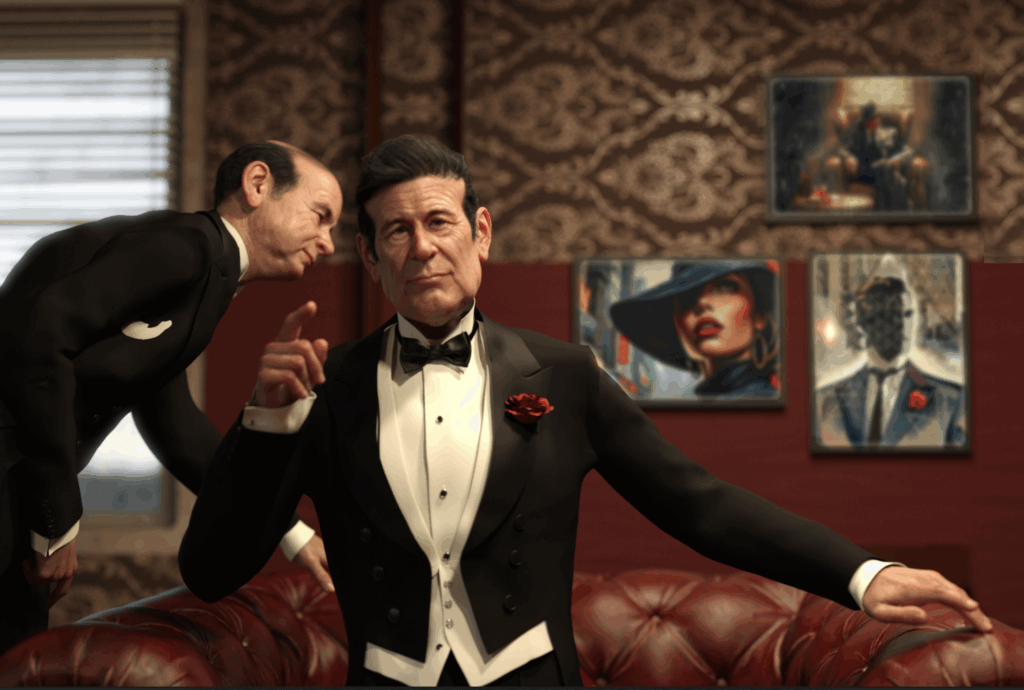
The entire scene was built from scratch in Daz3D. From lighting to character posing and the leather chair — everything was manually modeled, positioned, and lit. The background received a personal touch: the three paintings on the wall are my own artworks, manually composited in Photoshop onto the blank wall surfaces. By lowering contrast, adding a 3.5 blur, and adjusting shadows and highlights, the pieces blended seamlessly into the rendered scene.
Magnific as Creative Assistant
This project also demonstrates how AI can serve as a powerful tool rather than a replacement for artistry. Magnific.ai played a key role, used consciously as a creative assistant — not as the creator.
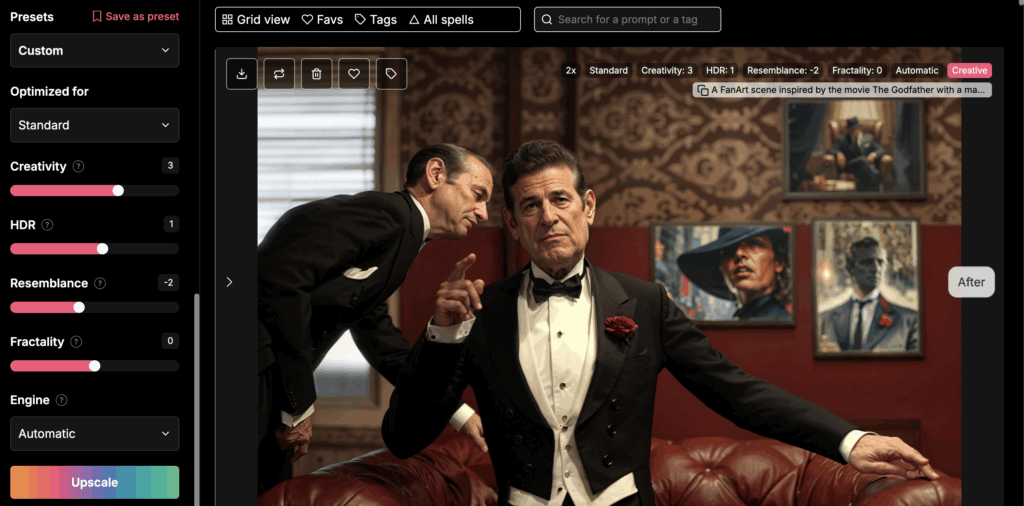
The first Magnific pass was set to relatively high creativity. It refined the faces and suit fabrics, giving them more realism and subtle painterly depth. However, the AI also altered areas that didn’t require enhancement, such as the background. In Photoshop, I used layer masks to keep only what mattered — primarily the faces, hair, and clothing accents.
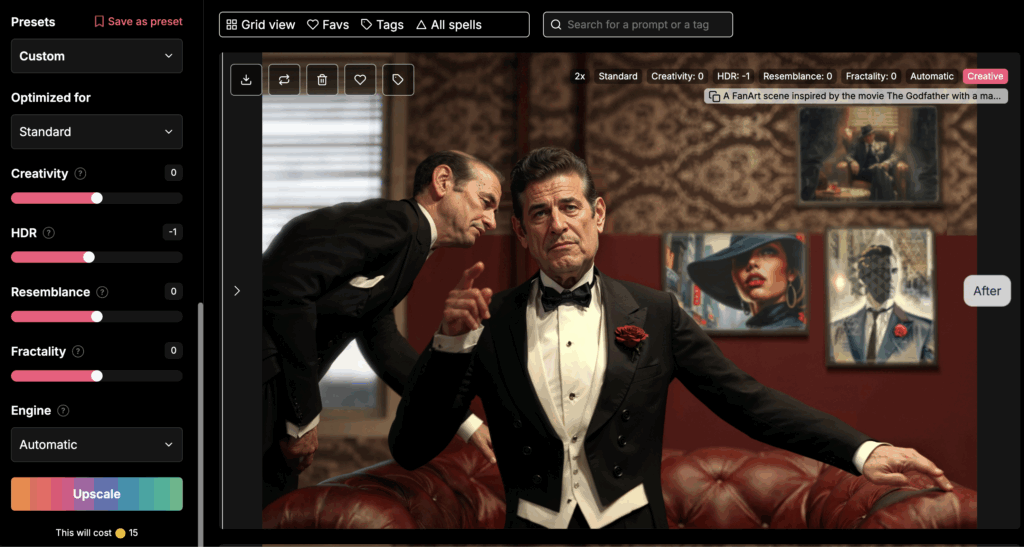
The second pass was done at low creativity, focused purely on improving resolution and fine detail without visual reinterpretation. This step could just as easily have been done with Topaz Gigapixel, which provides similar upscaling quality. I tested both but ultimately chose Magnific because, despite the low creativity setting, it added a subtle artistic touch — including a faint mustache that it “invented,” which felt perfectly fitting for the character.
The Comic Touch with FilterForge
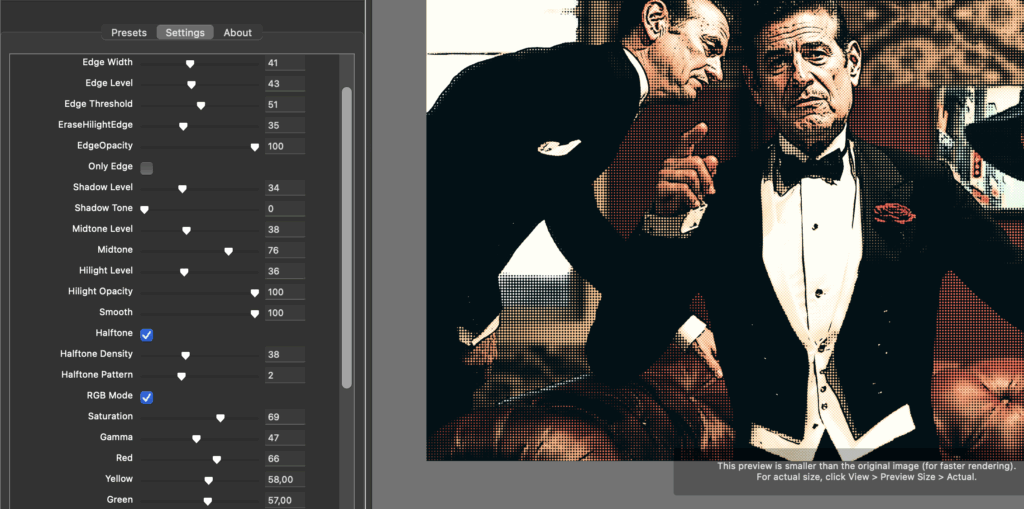
I deliberately opted for a comic-style finish to give the piece a strong Pop Art aesthetic — a style that resonates deeply with me and served as my personal way to honor the film. For this I used the Edge and Tones filter in FilterForge. By adjusting Highlights, Edge Width, Halftone Density, and Shadow Level, I achieved a balance between sharp outlines and the classic halftone texture reminiscent of 1970s print techniques — the era when the movie itself became legendary.
Final Polish in Luminar Neo
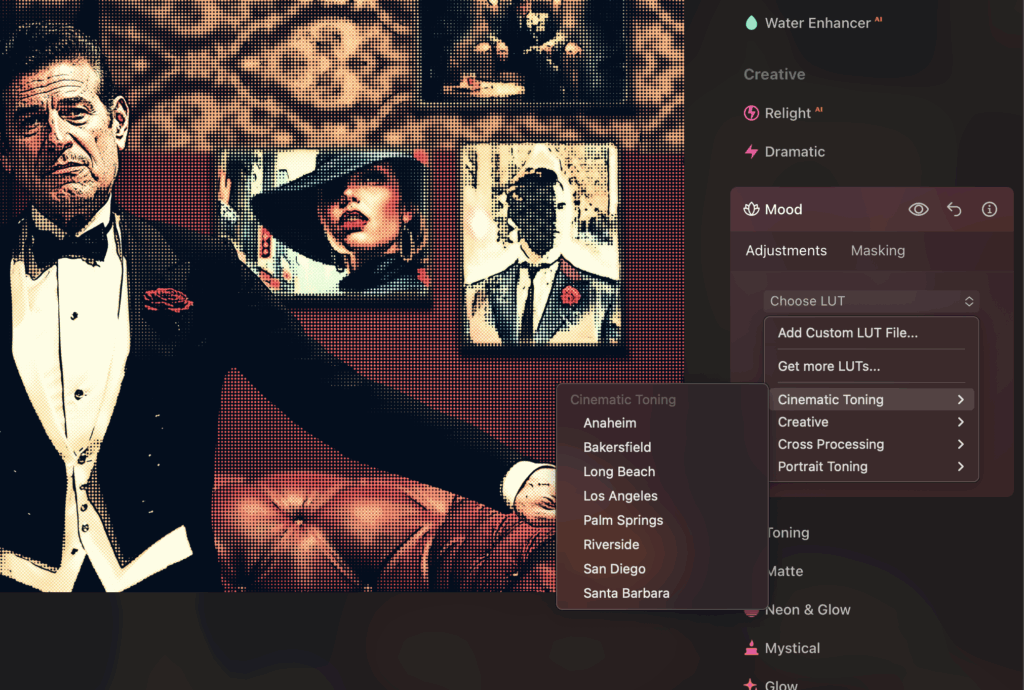
Finally, I brought the artwork into Luminar Neo, where I applied LUTs (Cinematic Toning) and selective color corrections to create a warmer, filmic atmosphere. I fine-tuned lighting, contrast, and shadow tones to draw attention to the central figure. The result feels like a fusion of painting and film still.
More Than a Tribute
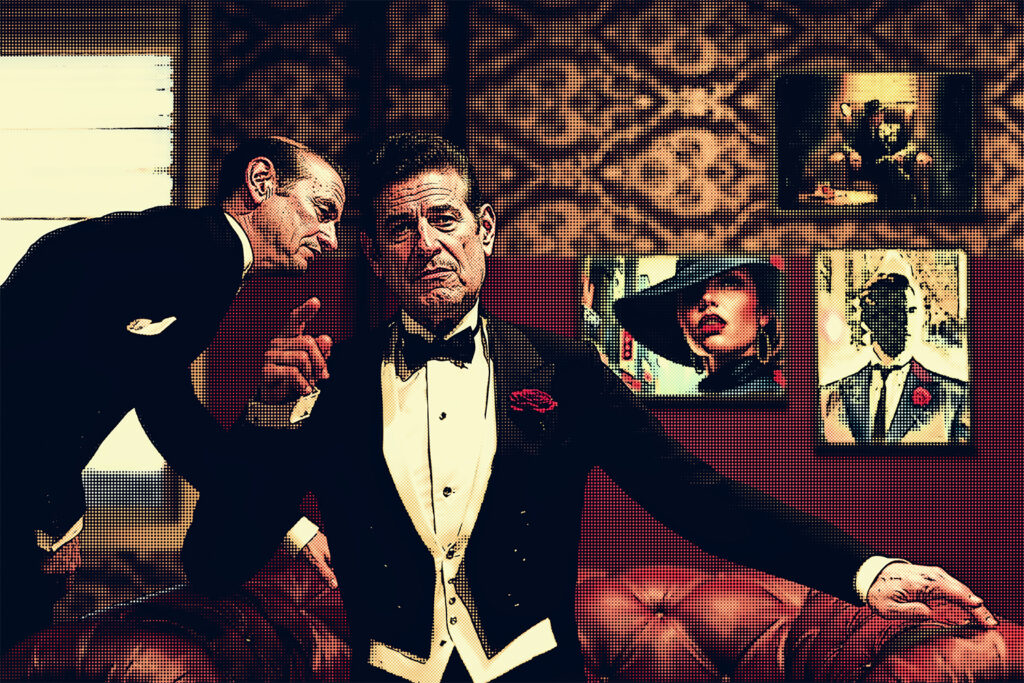
This workflow demonstrates that AI doesn’t have to stand for effortless image generation — it can serve as a precise and thoughtful artist’s tool. By applying AI selectively and intentionally, the human hand remains in control of composition and expression. It’s this balance of traditional craft, digital refinement, and modern technology that brings the piece to life.
📥 Download the high-resolution version here (for personal use only)
Disclaimer
This work is an unofficial fanart inspired by The Godfather (1972). It is not affiliated with, licensed by, or endorsed by the original creators or rights holders. It is not for sale and is intended solely as a tribute and educational example.
Affiliate disclosure: This article mentions tools I personally use, including FilterForge, Magnific.ai and Topaz Gigapixel. If you decide to explore or purchase through these links, I may receive a small commission at no extra cost to you.
Discover more from Arjen Roos - digital artist
Subscribe to get the latest posts sent to your email.